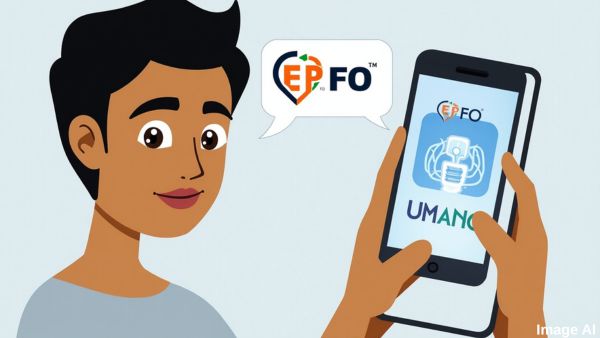
The Employees’ Provident Fund Organisation (EPFO) has introduced a new feature that allows employees to generate and activate their Universal Account Number (UAN) using face authentication via the UMANG App. This initiative aims to simplify the UAN generation process and reduce errors associated with demographic mismatches.
🔠What’s New?
Traditionally, UANs were generated by employers using employee data submitted to EPFO. However, inconsistencies in Aadhaar-linked fields such as names, mobile numbers, or birth dates often led to complications during benefit claims or account access. To address these issues, EPFO has now enabled direct UAN generation and activation using Face Authentication via the UMANG App.
✅ Key Benefits
-
Instant UAN Generation and Activation: Employees can now generate and activate their UAN in a single step using face authentication, eliminating the need for employer intervention .
-
Enhanced Accuracy: By fetching member details directly from Aadhaar through face authentication, the process minimizes errors due to mismatched information .
-
Immediate Access to EPFO Services: Once the UAN is generated and activated, employees can instantly access EPFO services such as viewing their passbook, updating KYC details, and submitting claims .
📱 How to Use the New Feature
-
Download Required Apps: Install both the UMANG App and the Aadhaar Face RD App from the Play Store.
-
Initiate UAN Generation: Open the UMANG App, navigate to “UAN Allotment and Activation,” and enter your Aadhaar number and the mobile number linked to your Aadhaar.
-
Consent and OTP Verification: Provide consent for Aadhaar validation and verify the OTP sent to your registered mobile number.
-
Face Authentication: Capture a live photo for authentication. Once verified, your UAN will be generated and sent via SMS.
-
Download e-UAN Card: You can download your e-UAN card directly from the UMANG App for your records or to share with your employer.
🧾 For Existing UAN Holders
If you already have a UAN but haven't activated it yet, you can use the same face authentication process via the UMANG App to activate your UAN.
📞 Need Assistance?
For support or clarification, you may contact:
-
The nearest EPFO office
-
The UMANG Helpdesk (available within the app)
-
EPFO Customer Support (toll-free number 14470)
This user-friendly approach not only streamlines the UAN generation process but also aligns with the Digital India initiative, promoting a more efficient and secure system for managing provident fund accounts.